Source generator that helps register attribute marked services in the dependency injection ServiceCollection



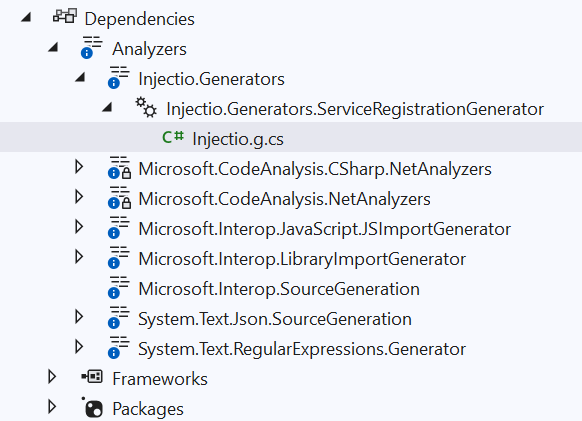
- Transient, Singleton, Scoped service registration
- Factory registration
- Module method registration
- Duplicate Strategy - Skip,Replace,Append
- Registration Strategy - Self, Implemented Interfaces, Self With Interfaces
- Decorator registration (
RegisterDecorator) — no runtime dependencies
Requires Roslyn 4.14 or later. This means Visual Studio 2022 version 17.14+ or Visual Studio 2026+, a current Rider release, and the .NET 9.0.300 SDK or newer. Older toolchains will not load the analyzer.
Add the nuget package project to your projects.
dotnet add package Injectio
Place registration attribute on class. The class will be discovered and registered.
[RegisterSingleton]Marks the class as a singleton service[RegisterScoped]Marks the class as a scoped service[RegisterTransient]Marks the class as a transient service[RegisterServices]Marks the method to be called to register services[RegisterDecorator]Marks the class as a decorator around an existing service
| Property | Description |
|---|---|
| ImplementationType | The type that implements the service. If not set, the class the attribute is on will be used. |
| ServiceType | The type of the service. If not set, the Registration property used to determine what is registered. |
| Factory | Name of a factory method to create new instances of the service implementation. |
| Duplicate | How the generator handles duplicate registrations. See Duplicate Strategy |
| Registration | How the generator determines what to register. See Registration Strategy |
| Value | Description |
|---|---|
| Skip | Skips registrations for services that already exists |
| Replace | Replaces existing service registrations |
| Append | Appends a new registration for existing services |
| Value | Description |
|---|---|
| Self | Registers each matching concrete type as itself |
| ImplementedInterfaces | Registers each matching concrete type as all of its implemented interfaces |
| SelfWithInterfaces | Registers each matching concrete type as all of its implemented interfaces and itself |
[RegisterSingleton]
public class SingletonService : IService { }
Explicit service type
[RegisterSingleton(ServiceType = typeof(IService))]
public class SingletonService : IService { }
Support resolving multiple services with IEnumerable<T>
[RegisterSingleton(Duplicate = DuplicateStrategy.Append)]
public class SingletonService : IService { }[RegisterScoped]
public class ScopedService : IService { }[RegisterTransient]
public class TransientService : IService { }[RegisterTransient(Factory = nameof(ServiceFactory))]
public class FactoryService : IFactoryService
{
private readonly IService _service;
public FactoryService(IService service)
{
_service = service;
}
public static IFactoryService ServiceFactory(IServiceProvider serviceProvider)
{
return new FactoryService(serviceProvider.GetService<IService>());
}
}[RegisterSingleton(ImplementationType = typeof(OpenGeneric<>), ServiceType = typeof(IOpenGeneric<>))]
public class OpenGeneric<T> : IOpenGeneric<T> { }In version 5.0+, self-registration of open-generic types supported
[RegisterSingleton]
public class OpenGeneric<T> : IOpenGeneric<T> { }You can use generic attributes to register services if your project targets .NET 7.0+
<Project Sdk="Microsoft.NET.Sdk">
  <PropertyGroup>
    <TargetFrameworks>net7.0</TargetFrameworks>
  </PropertyGroup>
</Project>
Generic attributes allow declaration to be more compact by avoiding the typeof calls
[RegisterSingleton<IService>]
public class ServiceImplementation : IService { }You can register keyed services with version 8.0+ of Microsoft.Extensions.DependencyInjection
Register a keyed service
[RegisterSingleton<IServiceKeyed>(ServiceKey = "Alpha")]
public class ServiceAlphaKeyed : IServiceKeyed
{
}

[RegisterSingleton<IServiceKeyed>(ServiceKey = "Beta")]
public class ServiceBetaKeyed : IServiceKeyed
{
}
Register using an enum
public enum ServiceType
{
    Alpha,
    Beta
}

[RegisterSingleton<IServiceKeyed>(ServiceKey = ServiceType.Alpha)]
public class ServiceAlphaTypeKeyed : IServiceKeyed
{
}

[RegisterSingleton<IServiceKeyed>(ServiceKey = ServiceType.Beta)]
public class ServiceBetaTypeKeyed : IServiceKeyed
{
}
Register using an factory method
[RegisterSingleton<IServiceKeyed>(ServiceKey = "Charlie", Factory = nameof(ServiceFactory))]
[RegisterSingleton<IServiceKeyed>(ServiceKey = "Delta", Factory = nameof(ServiceFactory))]
public class ServiceFactoryKeyed : IServiceKeyed
{
    public ServiceFactoryKeyed(object? serviceKey)
    {
        ServiceKey = serviceKey;
    }

    public object? ServiceKey { get; }

    public static IServiceKeyed ServiceFactory(IServiceProvider serviceProvider, object? serviceKey)
    {
        return new ServiceFactoryKeyed(serviceKey);
    }

}Use the RegisterDecorator attribute to wrap an existing service registration without adding
any runtime dependencies. The generator emits all decoration helpers directly into the
consumer assembly.
Decorators inherit the lifetime of the service they decorate. Apply multiple decorators by
ordering them with the Order property — lower values are innermost (applied first), higher
values are outermost (applied last).
public interface IService { }

[RegisterSingleton<IService>]
public class Service : IService { }

[RegisterDecorator<IService>(Order = 1)]
public class LoggingDecorator : IService
{
    public LoggingDecorator(IService inner) { }
}

[RegisterDecorator<IService>(Order = 2)]
public class CachingDecorator : IService
{
    public CachingDecorator(IService inner) { }
}
Resolution order for the sample above: CachingDecorator → LoggingDecorator → Service.
| Property | Description |
|---|---|
| ServiceType | The type of service to decorate. Required unless the generic attribute form is used. |
| ImplementationType | The decorator type. If not set, the class the attribute is on will be used. |
| ServiceKey | Decorate a specific keyed registration. Requires .NET 8+ Microsoft.Extensions.DependencyInjection. |
| AnyKey | When true, decorate every keyed registration of ServiceType regardless of its key. |
| Factory | Name of a static factory method that builds the decorator. |
| Order | Ordering within the decoration chain. Lower = innermost. |
| Tags | Comma/semicolon-delimited list of registration tags. |
Decorate a single keyed variant, or use AnyKey to decorate them all:
[RegisterSingleton<IService>(ServiceKey = "alpha")]
public class AlphaService : IService { }

[RegisterDecorator<IService>(AnyKey = true)]
public class LoggingDecorator : IService
{
    public LoggingDecorator(IService inner) { }
}Provide a static factory on the decorator class for complex construction:
[RegisterDecorator<IService>(Factory = nameof(Create))]
public class LoggingDecorator : IService
{
    public LoggingDecorator(IService inner) { }

    public static IService Create(IServiceProvider serviceProvider, IService inner)
        => new LoggingDecorator(inner);
}
For keyed decorators the factory takes an additional object? parameter for the key:
public static IService Create(IServiceProvider serviceProvider, object? serviceKey, IService inner)
    => new LoggingDecorator(inner);
Open-generic decorators apply to every closed registration of the matching service type.
The generator supports decorating closed-generic registrations with an open-generic decorator
class; purely open-generic implementation registrations (e.g. (IRepo<>, Repo<>)) are not
decorated at runtime due to a Microsoft.Extensions.DependencyInjection limitation on factory
registrations for open generic service types.
public interface IRepo<T> { }

[RegisterSingleton<IRepo<string>, StringRepo>]
public class StringRepo : IRepo<string> { }

[RegisterDecorator(ServiceType = typeof(IRepo<>))]
public class LoggingRepo<T> : IRepo<T>
{
    public LoggingRepo(IRepo<T> inner) { }
}Decorators support the same tag-filtering as registrations:
[RegisterDecorator<IService>(Tags = "FrontEnd")]
public class FrontEndLoggingDecorator : IService
{
    public FrontEndLoggingDecorator(IService inner) { }
}When the service registration is complex, use the RegisterServices attribute on a method that has a parameter of IServiceCollection or ServiceCollection
public class RegistrationModule
{
    [RegisterServices]
    public static void Register(IServiceCollection services)
    {
        // add and bind configuration options, Microsoft.Extensions.Configuration.Binder
        services
            .AddOptions<PollingOption>()
            .Configure<IConfiguration>((settings, configuration) => configuration
                .GetSection(PollingOption.SectionName)
                .Bind(settings)
            );
    }
}The source generator creates an extension method with all the discovered services registered. Call the generated extension method to add the services to the container. The extension method will be called Add[AssemblyName]. The assembly name will have the dots removed.
var services = new ServiceCollection();
services.AddInjectioTestsConsole();
Override the extension method name by using the InjectioName MSBuild property.
<PropertyGroup>
  <InjectioName>Library</InjectioName>
</PropertyGroup>
<ItemGroup>
 <CompilerVisibleProperty Include="InjectioName" />
</ItemGroup>
var services = new ServiceCollection();
services.AddLibrary();Control what is registered when calling the generated extension method using Tags
Tag the service
public interface IServiceTag
{
}

[RegisterSingleton(Tags = "Client,FrontEnd")]
public class ServiceTag : IServiceTag
{
}
Tags can be passed to register methods
public static class ServiceRegistration
{
    [RegisterServices]
    public static void Register(IServiceCollection services, ISet<string> tags)
    {

    }
}
Specify tags when adding to service collection. Note, if no tags specified, all services are registered
var services = new ServiceCollection();
services.AddInjectioTestsLibrary("Client");