
| title | DocGen |
|---|---|
| emoji | 📝 |
| colorFrom | yellow |
| colorTo | blue |
| sdk | docker |
| app_port | 7860 |
| pinned | false |
DocGen turns source code, algorithm problems and plain topics into structured, professional documentation, streamed back as you watch and exportable as PDF or DOCX.
It pairs a React frontend and a Django REST backend with Ollama running the Qwen2.5-Coder model locally, so there is no OpenAI / Gemini / paid-API dependency and your code never leaves the machine that runs it.
Live demo: huggingface.co/spaces/docgen/DocGen (use Try demo account on the login page)
Contents: Tour · How it works · Features · Performance · Run locally · Docker / Hugging Face · API · Theme · Production notes · Troubleshooting
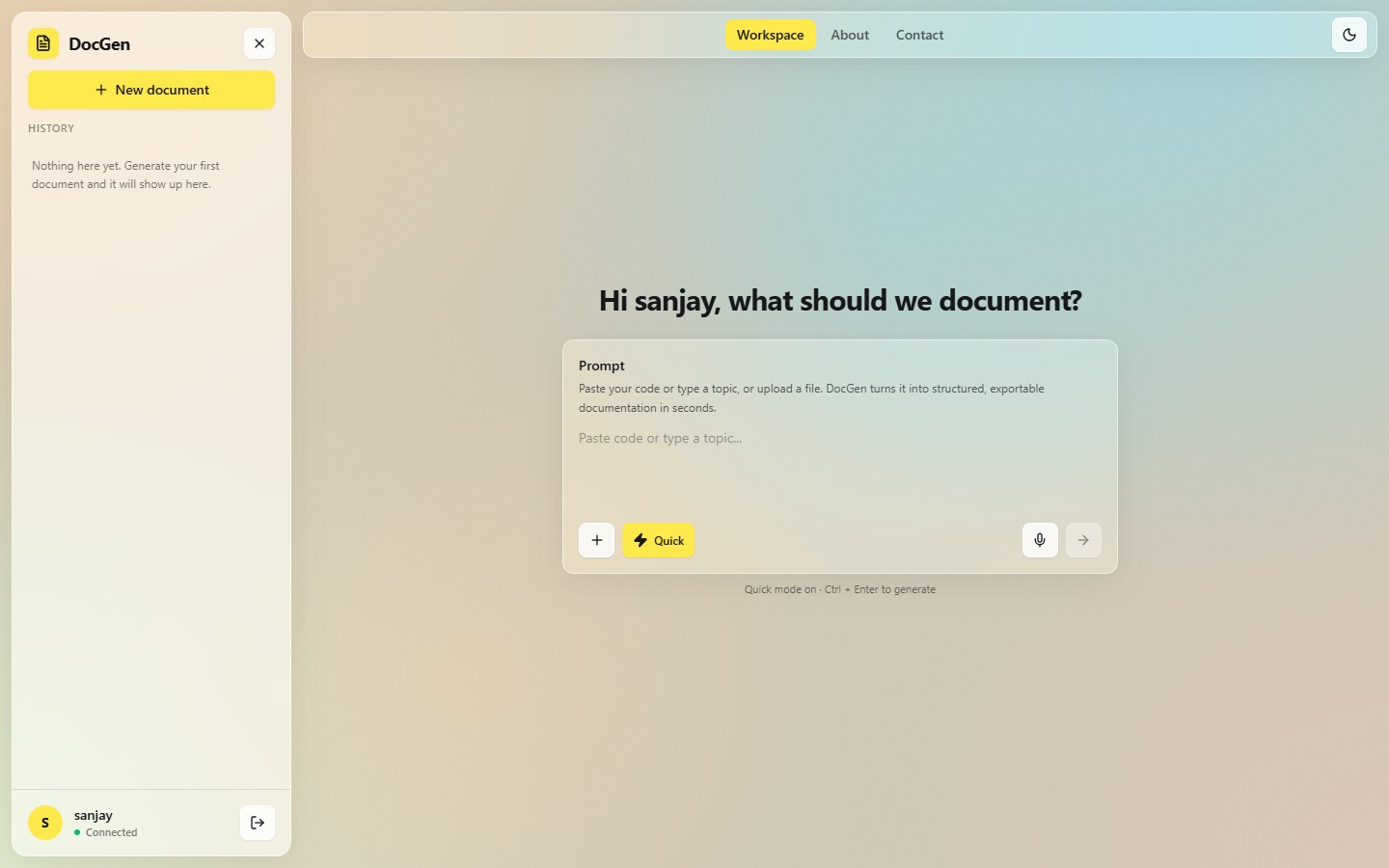
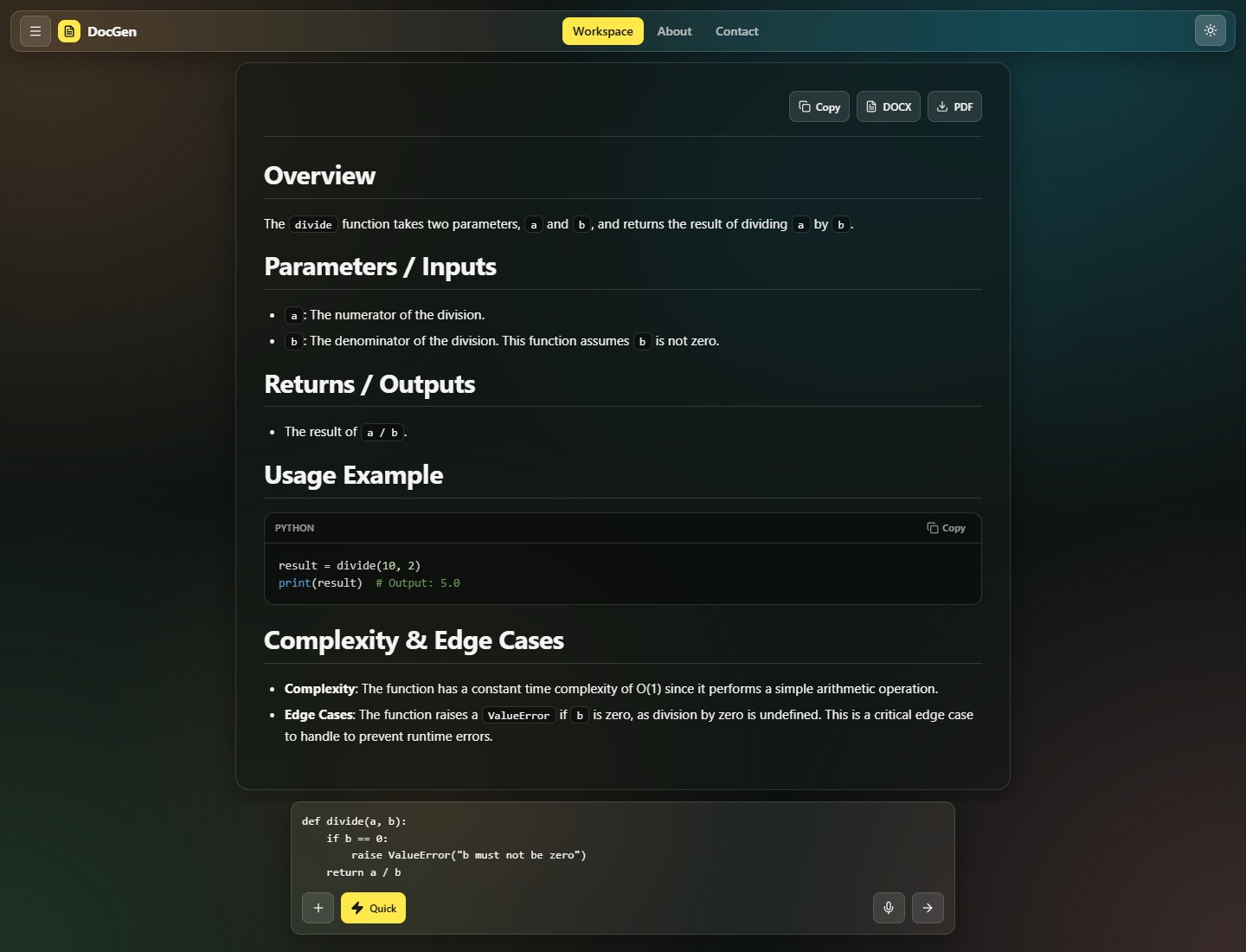
The images below are screenshots of the production build. The documentation you see in them is
real output from the live Space (qwen2.5-coder:3b, Quick mode), generated from the small
divide(a, b) function shown in the prompt.
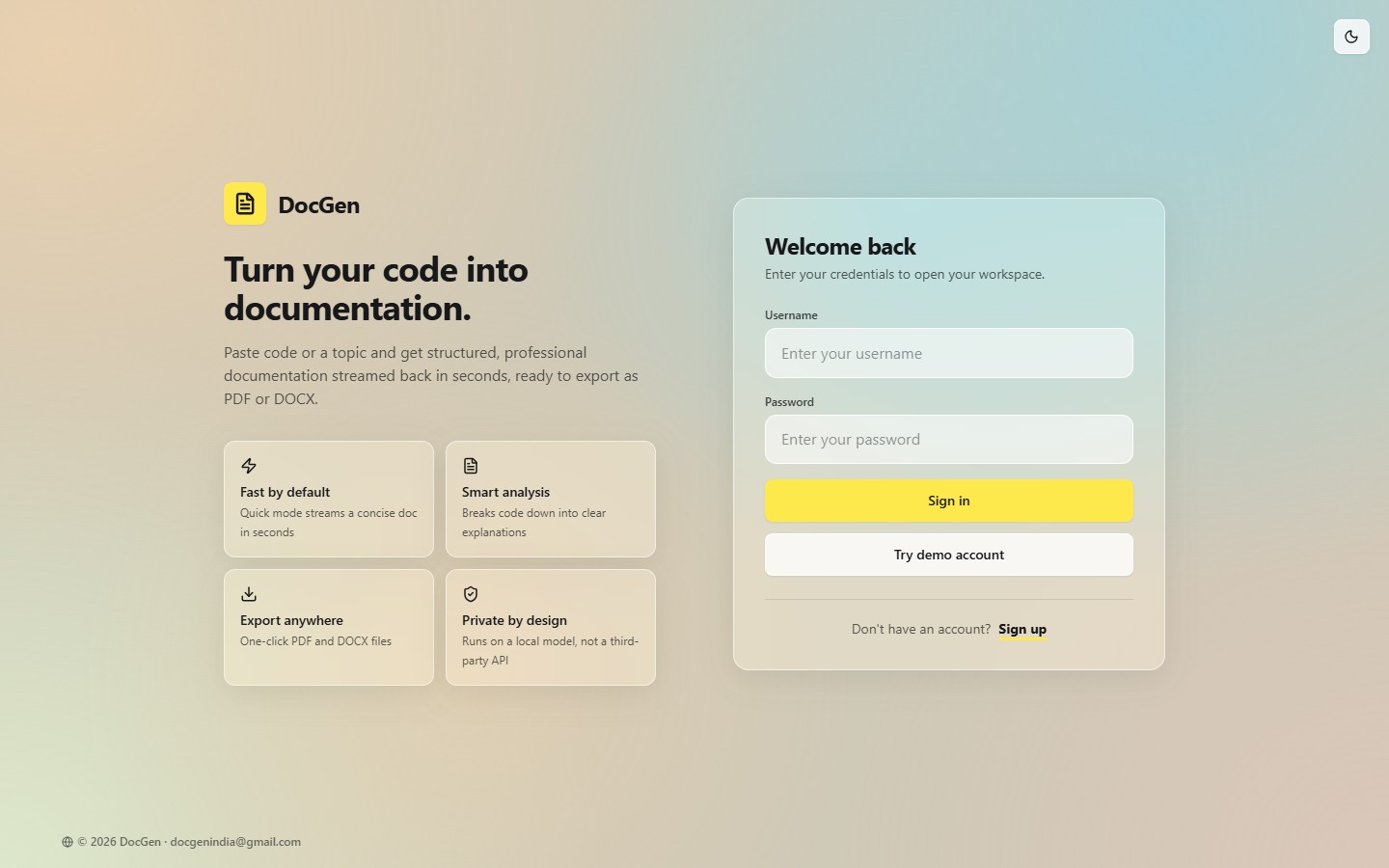
Create an account, sign in, or press Try demo account for an instant look around. Sessions use JWT tokens (valid for one day). The light/dark toggle in the corner is remembered between visits.
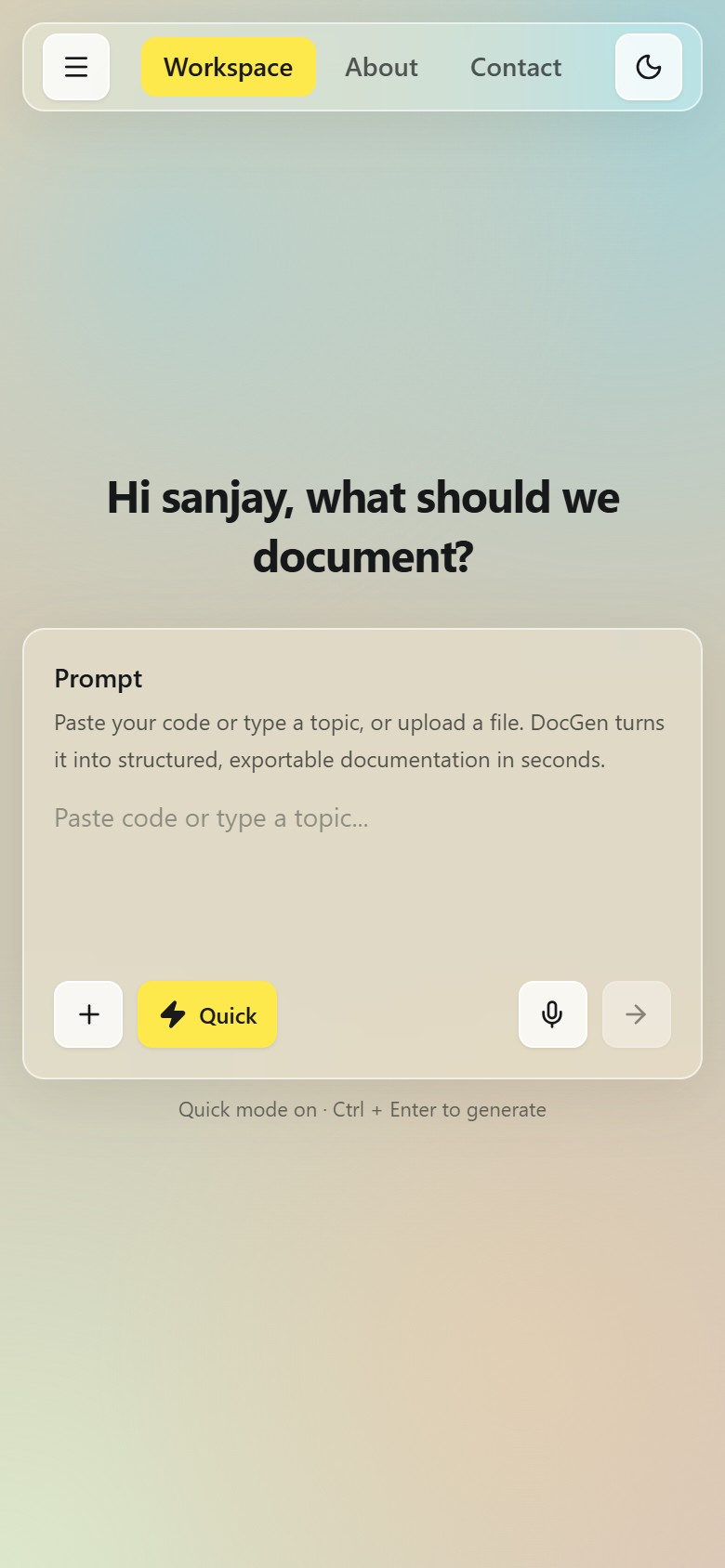
The workspace is built around one glass Prompt card. Paste code, type a topic such as "binary search", or upload a file.
| Control | What it does |
|---|---|
| + | Upload a source/text file (up to 200 KB: .py .js .ts .java .c .cpp .go .rs .sql .md .txt ...). Its contents fill the prompt. |
| ⚡ Quick (yellow) | Toggles Quick vs Detailed output. Quick is on by default and your choice is remembered. See Performance. |
| 🎤 | Voice dictation. Speech is typed into the prompt (Chrome, Edge and Safari; disabled where the browser has no Web Speech API). |
| → | Generate. Ctrl + Enter (or Cmd + Enter) does the same from the keyboard. Input is capped at 6,000 characters. |
The left sidebar lists your previous documents (open or delete them) and shows the connection status. On phones it becomes a slide-over drawer.
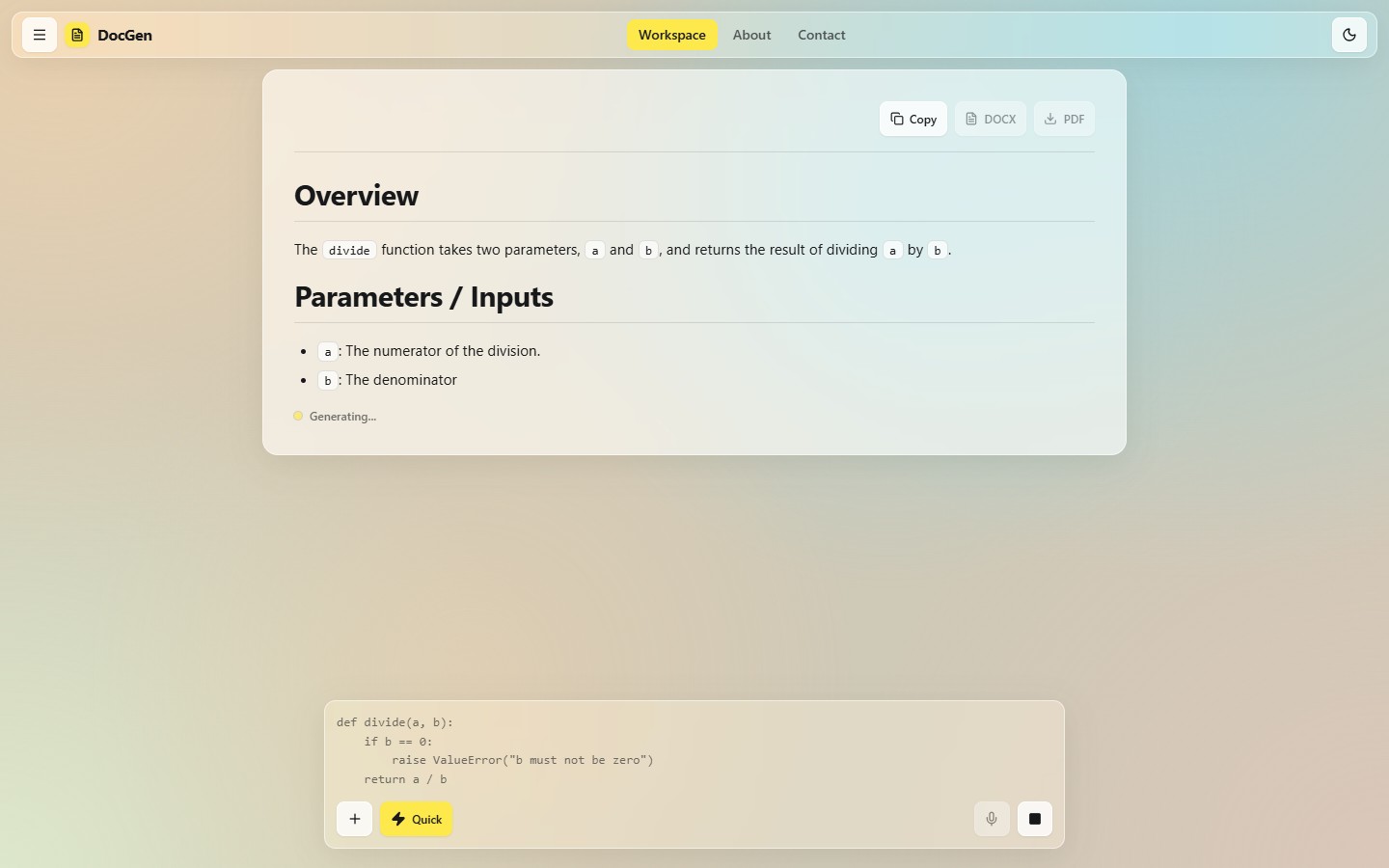
The answer streams in as Markdown, so you can start reading immediately. While it runs:
- the prompt card docks to the bottom and its arrow turns into a Stop button (the partial document is kept if you stop);
- the Copy / DOCX / PDF buttons are disabled until the document is complete;
- pressing Stop also stops the model on the server (as soon as it produces its next token), so it doesn't keep generating a document nobody is reading and slow down the next request.
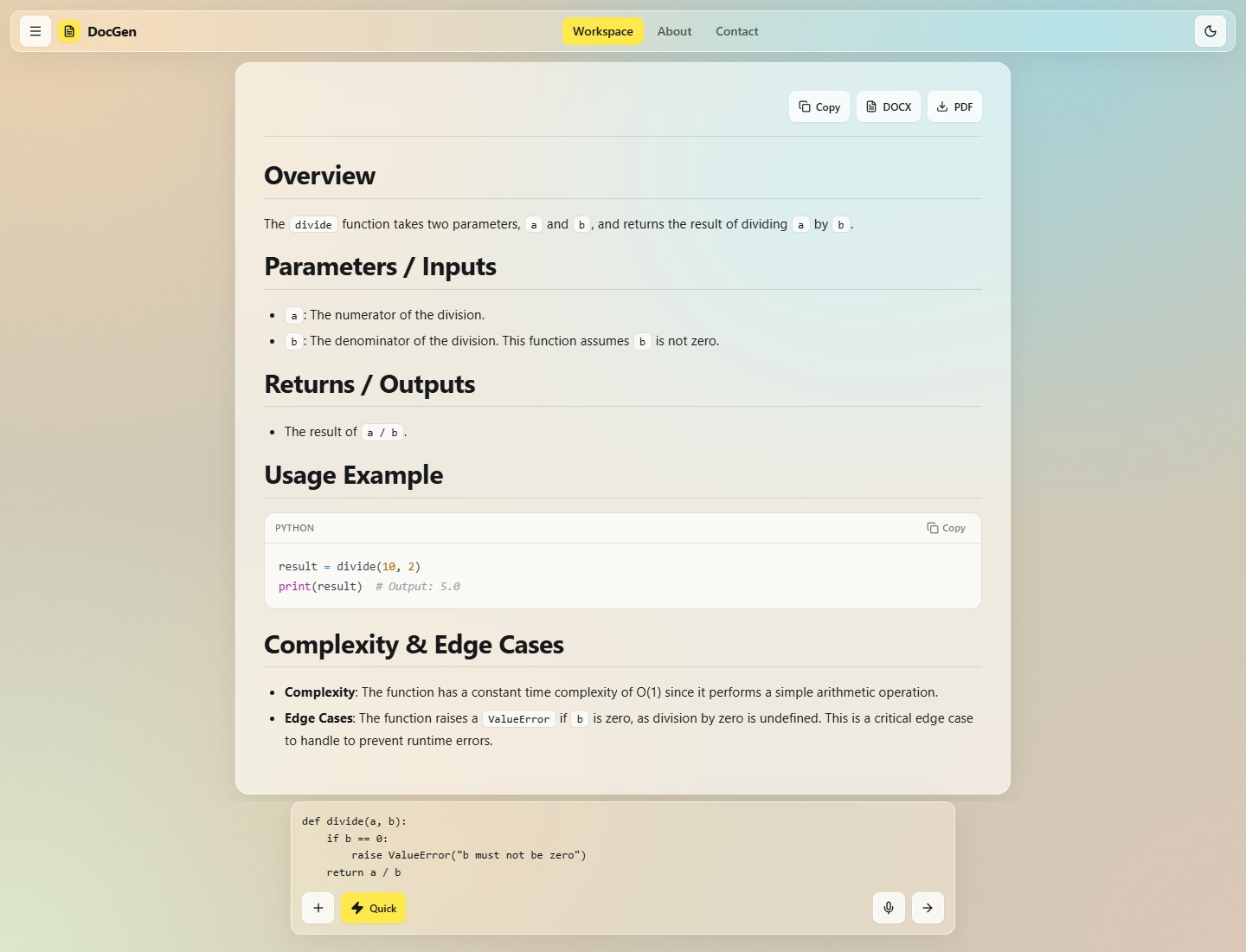
- Documents are rendered with headings, lists, tables and syntax-highlighted code blocks, each with its own Copy button.
- Copy puts the whole document on the clipboard as Markdown; DOCX and PDF download a formatted file (generated with python-docx and ReportLab).
- Finished documents are saved to your History automatically. Failed generations are never saved.
- Code input is documented with the sections Overview, Parameters / Inputs, Returns / Outputs, Usage Example, Complexity & Edge Cases, as shown above.
 |
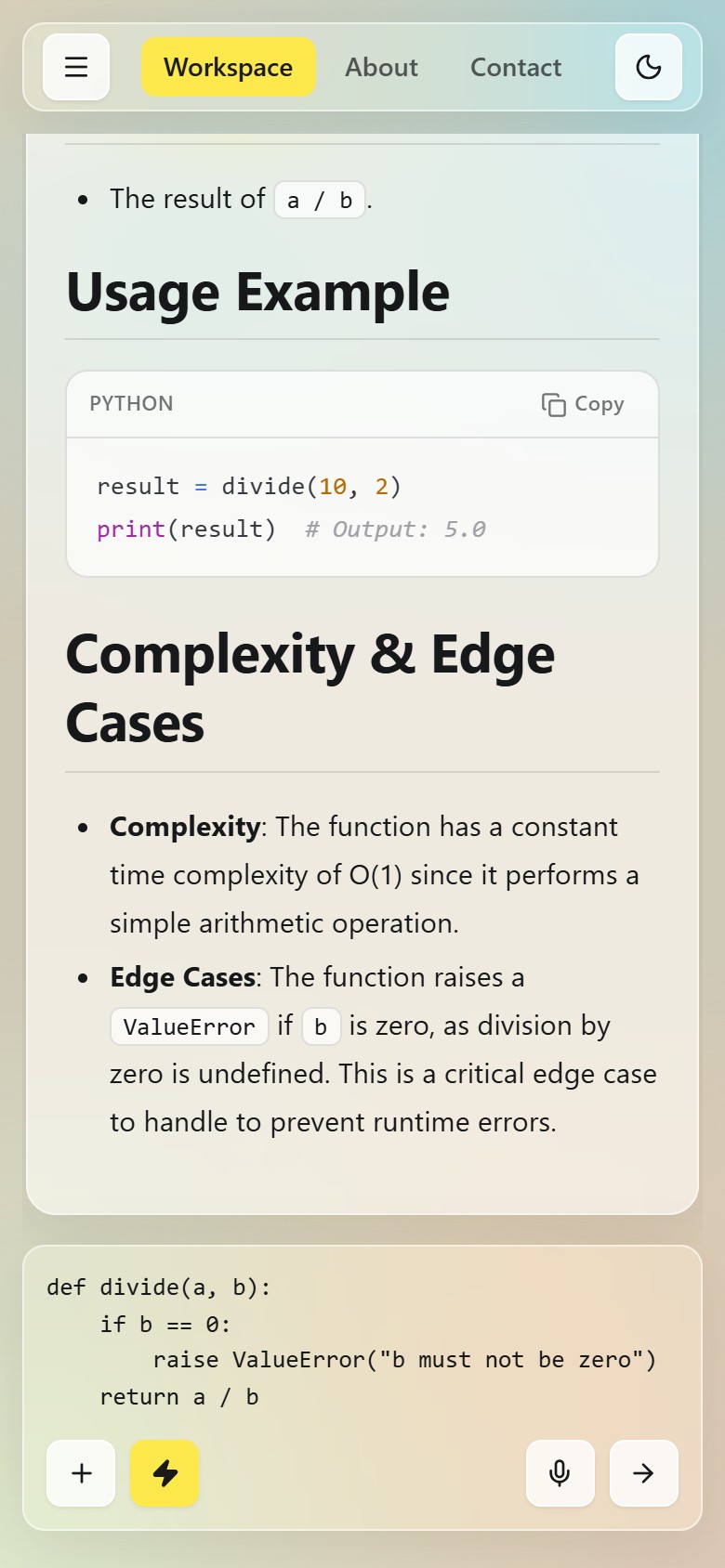 |
The dark theme keeps the same layout on a deep aurora background. The whole app is responsive, and animations respect the reduce motion setting of your operating system.
sequenceDiagram
    participant B as Browser
    participant D as Django API
    participant W as Wikipedia
    participant O as Ollama
    B->>D: POST /api/generate/ (code, mode)
    D->>D: classify input as code, problem, factual or concept
    opt short factual or concept topic and server is online
        D->>W: search and summary (waits at most 2.5 s, cached)
        W-->>D: verified context
    end
    D->>O: prompt plus options (keep_alive, num_ctx, num_predict)
    loop for every token
        O-->>D: token
        D-->>B: streamed Markdown chunk
    end
    B->>B: render in batches and save to history
- Classify. The backend inspects the input: code (symbols, keywords or several lines), problem (algorithm vocabulary such as "array" or "subarray"), factual ("who", "when", "population"...) or concept (anything else).
- Ground (optional). Short factual/concept topics are enriched with a Wikipedia summary when the server is online, and the model is told to copy facts and numbers exactly. Code and problems never trigger a lookup. If Wikipedia is slow (over 2.5 s) or unreachable, generation simply continues without it.
- Prompt. A template matched to the input type is used: code gets the section list above, problems get Problem Statement, Approach, Algorithm Steps, Complexity, Example, and concepts get a structured explanation. Quick mode adds "be concise"; Detailed mode asks for depth and edge cases.
- Stream. Ollama's tokens are forwarded to the browser as they are produced. The browser batches re-renders (about 11 per second) so long documents stay smooth.
- Save and export. When the stream ends the document is saved to your history. DOCX and PDF are rendered on demand from the Markdown.
Browser (React + Tailwind)
   │  fetch /api/...  (JWT)
   ▼
Django REST API (gunicorn, gthread)
   ├── auth, history, status
   ├── POST /api/generate/ ──► Ollama (qwen2.5-coder:3b, kept warm) ──► streamed Markdown
   │        └─ optional Wikipedia grounding (short factual topics only)
   └── POST /api/pdf/ | /api/docx/ ──► ReportLab / python-docx ──► file download
The Django server also serves the compiled React app from frontend/build, so one container
exposes everything on port 7860.
- Paste or upload code or just type a topic
- Quick / Detailed modes - the yellow ⚡ button trades depth for speed
- Live streaming output rendered as Markdown with syntax-highlighted code blocks
- Voice dictation in browsers that support the Web Speech API
- Export any document as PDF or DOCX, or copy it as Markdown
- History per user, with open / delete
- JWT authentication (SimpleJWT) plus a one-click demo account
- Light & dark themes, aurora gradient + frosted-glass UI, fully responsive
- Local LLM - generation runs on Ollama next to the app, no paid API
| Layer | Technology |
|---|---|
| Frontend | React 19, Tailwind CSS 3, Framer Motion, react-markdown, react-syntax-highlighter (Prism light) |
| Backend | Django, Django REST Framework, SimpleJWT, WhiteNoise, gunicorn |
| AI | Ollama + Qwen2.5-Coder (3B by default) |
| Exports | ReportLab (PDF), python-docx (DOCX) |
| History | Firestore (per-user document history) and a Django DocHistory table |
Generation speed was the focus of the latest update. What changed:
| Area | Before | Now |
|---|---|---|
| Model loading | Unloaded after 5 idle minutes, so the next request paid a cold start | keep_alive = 24h and the model is pre-loaded at container start |
| Request start-up | A 2 s network probe on every request and /status poll |
Probe cached for 30 s |
| Wikipedia | Looked up for any short input, including code; no time limit | Only for short factual/concept topics; waits at most 2.5 s; results cached |
| Prompt size | Full Wikipedia article (6000 chars) | 3000-char summary; user input capped at 6000 chars |
| Output length | Unbounded | Quick mode caps output and asks for a concise doc; Detailed allows up to 2048 tokens |
| Stop button | Closed the browser stream only - Ollama kept generating and slowed the next request | Closes the upstream connection so Ollama stops as soon as the next token is produced |
| Browser start of request | Waited on a Firestore write before calling the API | API call starts immediately; history is saved after the stream |
| Rendering | Re-parsed the whole Markdown on every token | Batched to ~11 renders/s and memoised |
| JS bundle | 566 kB gzip (all Prism languages) | 383 kB gzip (only the languages DocGen registers) |
| Container start | Fixed sleep 5, sequential pull -> migrate |
Waits for Ollama to be ready, pulls only if missing, warms the model in parallel with Django setup |
Measured on 2026-10-05 against the live Space on Hugging Face's free cpu-basic hardware
(2 vCPU), using the example above:
| Mode | Time to first token | Whole document |
|---|---|---|
| Quick | about 1-2 s once warm (5-8 s on the very first request) | roughly 1-2 minutes |
| Detailed | 4-13 s | roughly 3-4 minutes |
That is about 2-3 tokens per second: on a 2-vCPU CPU the 3B model's raw generation speed is
the limit, and the changes above remove the avoidable delays around it. To go meaningfully faster,
use a smaller model (e.g. qwen2.5-coder:1.5b, trading some quality) or faster Space hardware
(cpu-upgrade or a GPU); on a local machine with a GPU it is far quicker.
Two details worth knowing if you tune this yourself:
num_ctxis deliberately identical for Quick and Detailed (and for the warm-up call). Ollama reloads the model whenevernum_ctxchanges between requests, which would erase the benefit of warming.OLLAMA_NUM_PARALLEL=1is set because on CPU, parallel generations just split the same cores and make every request slower. It also means requests queue, so a very busy public Space can feel slow for the next person in line.
DocGen/
├── backend/
│   ├── backend/                # Django project (settings, urls, wsgi/asgi)
│   ├── generator/
│   │   ├── views.py            # auth, history, streaming generation, downloads
│   │   ├── pdf_generator.py    # Markdown -> PDF (ReportLab)
│   │   ├── docx_generator.py   # Markdown -> DOCX (python-docx)
│   │   ├── models.py           # DocHistory
│   │   ├── urls.py
│   │   └── tests.py            # backend test suite (21 tests)
│   ├── users/
│   └── manage.py
├── frontend/
│   ├── public/                 # index.html, favicon.svg, manifest.json
│   ├── src/
│   │   ├── App.js              # state, streaming, routing, layout
│   │   ├── index.css           # theme tokens, aurora, glass components
│   │   ├── firebase.js
│   │   └── components/
│   │       ├── PromptCard.js   # the glass prompt: upload, quick mode, mic, submit
│   │       ├── DocView.js      # Markdown rendering + code blocks + exports
│   │       ├── Sidebar.js      # history, user, connection status
│   │       ├── AuthPage.js     # login / register
│   │       └── InfoPages.js    # About and Contact
│   ├── build/                  # production build (committed on purpose; served by Django)
│   ├── tailwind.config.js
│   └── package.json
├── Dockerfile
├── entrypoint.sh               # starts Ollama, warms the model, runs migrations + gunicorn
├── requirements.txt            # used by the Dockerfile (backend/requirements.txt is an older copy)
├── .dockerignore               # must NOT exclude frontend/build (the image doesn't run npm)
├── start.sh                    # legacy start script, not used by the Dockerfile
└── README.md
Prerequisites: Python 3.10+, Node.js 18+, and Ollama.
git clone https://github.com/SanjayMarathi/DocGen.git
cd DocGen

ollama pull qwen2.5-coder:3b
ollama serve # http://localhost:11434python -m venv venv
source venv/bin/activate # Windows: .\venv\Scripts\activate
pip install -r requirements.txt
cd backend
python manage.py migrate
python manage.py runserver 8000 # http://127.0.0.1:8000Development server with hot reload (API calls are proxied to Django on port 8000):
cd frontend
npm install
npm start                         # http://localhost:3000
Or build once and let Django serve the app on port 8000:
npm run buildThe production build is committed to the repository because the Docker image does not run
npm. After changing the frontend, rebuild withCI=false GENERATE_SOURCEMAP=false npm run buildand commit the result (git add -f frontend/build, as the folder is git-ignored by default).
Create an account, paste some code, press Ctrl + Enter or the arrow button. (The demo /
demouser account is only created by the Docker entrypoint.)
cd backend
python manage.py test generator
The suite mocks Ollama and covers input detection, Quick/Detailed options, the cached internet check, Wikipedia gating and timeouts, streaming, history saving, error handling and stop-generation cleanup.
The Space is built from the Dockerfile (SDK: docker, port 7860). On start, entrypoint.sh:
- starts Ollama,
- in the background, waits for it, pulls the model only if it is missing, then warms it into memory,
- meanwhile runs migrations,
collectstaticand creates thedemouser, - waits for the model to be ready, then starts gunicorn (2 workers x 4 threads).
docker build -t docgen .
docker run -p 7860:7860 docgen    # http://localhost:7860
Hugging Face rejects binary files in pushes, which is why the screenshots in this README live on the separate
docs-assetsbranch rather than in the repository tree.
| Variable | Default | Purpose |
|---|---|---|
OLLAMA_MODEL |
qwen2.5-coder:3b |
Default model for generation (a request may only override it with a model listed in ALLOWED_MODELS in views.py) |
OLLAMA_URL |
http://localhost:11434/api/generate |
Ollama generate endpoint |
OLLAMA_KEEP_ALIVE |
24h |
How long Ollama keeps the model in memory |
OLLAMA_NUM_CTX |
6144 |
Context window; keep it the same everywhere (see Performance) |
All /api/ endpoints except register, login and status need Authorization: Bearer <access token>.
| Method | Endpoint | Description |
|---|---|---|
| POST | /api/register/ |
Create an account {username, password} |
| POST | /api/login/ |
Returns {access, refresh} JWTs |
| GET | /api/user/ |
Current user |
| GET | /api/status/ |
Server reachability |
| POST | /api/generate/ |
Stream documentation. Body: {code, mode?: "quick" | "detailed", model?} |
| GET | /api/history/ |
Server-side history |
| DELETE | /api/history/<id>/delete/ |
Delete a history entry |
| POST | /api/pdf/ |
{docs} -> PDF file |
| POST | /api/docx/ |
{docs} -> DOCX file |
/api/generate/ responds with a text/plain stream of Markdown. Headers: X-Doc-Id (history row)
and X-AI-Warning (online when Wikipedia grounding was used). If the model fails mid-stream, the
stream ends with the marker [[DOCGEN_ERROR]] <message>, which the frontend turns into an error banner.
The UI uses a soft aurora gradient (peach, teal, sage, taupe), frosted-glass surfaces, small
rounded icon buttons and a single yellow accent. All colours are tokens at the top of
frontend/src/index.css (--a0..--a4 for the aurora, --accent, --ink,
glass and chip tokens) with a dark variant under html.dark, so re-theming is a matter of editing
those values. Animations respect prefers-reduced-motion.
The defaults suit a public demo. Before running DocGen for real users, review these:
backend/backend/settings.pyhasDEBUG = Trueand a developmentSECRET_KEYcommitted to the repository. SetDEBUG = Falseand load a fresh secret key from the environment.CORS_ALLOW_ALL_ORIGINS = Trueis enabled. The app is served from the same origin as its API, so you can restrictCORS_ALLOWED_ORIGINSto your own domain(s).- The
demo/demouseraccount is created automatically byentrypoint.sh. Remove that line for a private deployment. - The Firebase web config in
frontend/src/firebase.jsis public by design; protect your data with Firestore security rules.
| Symptom | Fix |
|---|---|
| "Model not responding" | Is Ollama running? ollama list should show qwen2.5-coder:3b; if not, ollama pull qwen2.5-coder:3b |
| First request is slow | The model is loading. Keep Ollama running and don't lower OLLAMA_KEEP_ALIVE; the container warms it at start |
| Every request seems to reload the model | OLLAMA_NUM_CTX must be identical for the backend and any warm-up call, otherwise Ollama reloads the model |
| Generation takes minutes | Expected on a 2-vCPU CPU with the 3B model; see What to expect for ways to speed it up |
| Frontend can't reach the API in dev | Run Django on port 8000 (the dev proxy points there) |
| Blank page after a Docker build | Make sure .dockerignore does not exclude frontend/build |
| Mic button disabled | The browser doesn't support the Web Speech API; use Chrome/Edge/Safari |
| Documents get cut off | That's Quick mode's length cap - toggle the ⚡ button to Detailed |
- Multiple output templates (README, API reference, docstrings)
- Choice of model size per request
- Role-based access control
- Persisting generated documents server-side as the single source of truth
Made by Sanjay Marathi. Contact: docgenindia@gmail.com