Skip to content

Only check for valid phone number in the deposit bank account flow - #97801

Draft
mountiny wants to merge 2 commits into
mainfrom
vit-removeUSNumberRequirement
Draft

Only check for valid phone number in the deposit bank account flow#97801
mountiny wants to merge 2 commits into
mainfrom
vit-removeUSNumberRequirement

Conversation

@mountiny

@mountiny mountiny commented Aug 4, 2026

Copy link
Copy Markdown
Contributor

Explanation of Change

The phone number step in the deposit bank account flow validated the number twice. It ran isValidPhoneNumber() on the number with the country code appended, and it also ran isValidNANPPhone() on the E.164 formatted number.

isValidNANPPhone() only accepted numbers that parse to a North American Numbering Plan region: US, PR, GU, VI, AS, MP, and CA. This is the international deposit account flow, so the account holder can live anywhere. A user with a valid number such as +44 20 7123 4567 saw Please enter a valid phone number and could not finish the step.

This PR keeps isValidPhoneNumber() as the only phone check in the step. It uses libphonenumber's possible check, so it accepts a valid number from any country and still rejects malformed input.

isValidNANPPhone() is removed from ValidationUtils, along with its unit tests, because this step was its only caller. The genuinely US only callers, in the EnablePayments wallet flows and the USD ReimbursementAccount flow, use isValidUSPhone() and are unchanged.

Changed files:

  • src/pages/AddPersonalBankAccountPage/substeps/PhoneNumberStep.tsx — drop the isValidNANPPhone() check and the E.164 formatting it needed.
  • src/libs/ValidationUtils.ts — remove isValidNANPPhone() and its export.
  • tests/unit/ValidationUtilsTest.ts — remove the isValidNANPPhone describe block.

Fixed Issues

$ #97806
PROPOSAL:

Tests

  1. Log in to any account.
  2. Go to Account > Wallet.
  3. Tap Add bank account > Get reimbursed.
  4. Continue to the phone number step.
  5. Enter a UK phone number, +44 20 7123 4567.
  6. Verify that no error appears and the step continues to the next page.
  7. Go back to the phone number step.
  8. Enter a US phone number, +1 201 867 5309.
  9. Verify that no error appears and the step continues to the next page.
  10. Go back to the phone number step.
  11. Enter a Canadian phone number, +1 416 555 1234.
  12. Verify that no error appears and the step continues to the next page.
  13. Go back to the phone number step.
  14. Enter an invalid number, 123.
  15. Verify that the field shows Please enter a valid phone number and the step does not continue.
  16. Go back to the phone number step.
  17. Enter letters, abcdefg.
  18. Verify that the field shows Please enter a valid phone number and the step does not continue.
  19. Complete the rest of the flow and verify that the bank account is added.
  20. Reopen the flow and verify that the saved phone number is shown in E.164 format.
  21. Run npm run test -- tests/unit/ValidationUtilsTest.ts and verify that the suite passes.
  • Verify that no errors appear in the JS console

Offline tests

  1. Turn off the network connection.
  2. Go to Account > Wallet > Add bank account > Get reimbursed.
  3. Continue to the phone number step.
  4. Enter a UK phone number, +44 20 7123 4567.
  5. Verify that no error appears and the step continues, because the validation runs on the client and needs no network call.
  6. Enter an invalid number, 123.
  7. Verify that the field still shows Please enter a valid phone number.
  8. Turn the network connection back on.
  9. Verify that the step keeps the value entered while offline and the flow continues.

QA Steps

  1. Log in to any account.
  2. Go to Account > Wallet.
  3. Tap Add bank account > Get reimbursed.
  4. Continue to the phone number step.
  5. Enter a UK phone number, +44 20 7123 4567.
  6. Verify that no error appears and the step continues to the next page.
  7. Go back to the phone number step.
  8. Enter an Australian phone number, +61 2 5550 1234.
  9. Verify that no error appears and the step continues to the next page.
  10. Go back to the phone number step.
  11. Enter a US phone number, +1 201 867 5309.
  12. Verify that no error appears and the step continues to the next page.
  13. Go back to the phone number step.
  14. Enter an invalid number, 123.
  15. Verify that the field shows Please enter a valid phone number and the step does not continue.
  16. Complete the flow with a valid phone number.
  17. Verify that the bank account is added and the phone number is saved.
  • Verify that no errors appear in the JS console

PR Author Checklist

  • I linked the correct issue in the ### Fixed Issues section above
  • I wrote clear testing steps that cover the changes made in this PR
    • I added steps for local testing in the Tests section
    • I added steps for the expected offline behavior in the Offline steps section
    • I added steps for Staging and/or Production testing in the QA steps section
    • I added steps to cover failure scenarios (i.e. verify an input displays the correct error message if the entered data is not correct)
    • I turned off my network connection and tested it while offline to ensure it matches the expected behavior (i.e. verify the default avatar icon is displayed if app is offline)
    • I tested this PR with a High Traffic account against the staging or production API to ensure there are no regressions (e.g. long loading states that impact usability).
  • I included screenshots or videos for tests on all platforms
  • I ran the tests on all platforms & verified they passed on:
    • Android: Native
    • Android: mWeb Chrome
    • iOS: Native
    • iOS: mWeb Safari
    • MacOS: Chrome / Safari
  • I verified there are no console errors (if there's a console error not related to the PR, report it or open an issue for it to be fixed)
  • I followed proper code patterns (see Reviewing the code)
    • I verified that any callback methods that were added or modified are named for what the method does and never what callback they handle (i.e. toggleReport and not onIconClick)
    • I verified that comments were added to code that is not self explanatory
    • I verified that any new or modified comments were clear, correct English, and explained "why" the code was doing something instead of only explaining "what" the code was doing.
    • I verified any copy / text that was added to the app is grammatically correct in English. It adheres to proper capitalization guidelines (note: only the first word of header/labels should be capitalized), and is either coming verbatim from figma or has been approved by marketing (in order to get marketing approval, ask the Bug Zero team member to add the Waiting for copy label to the issue)
  • If a new code pattern is added I verified it was agreed to be used by multiple Expensify engineers
  • I followed the guidelines as stated in the Review Guidelines
  • I tested other components that can be impacted by my changes (i.e. if the PR modifies a shared library or component like Avatar, I verified the components using Avatar are working as expected)
  • If any new file was added I verified that:
    • The file has a description of what it does and/or why is needed at the top of the file if the code is not self explanatory
  • If a new CSS style is added I verified that:
    • A similar style doesn't already exist
    • The style can't be created with an existing StyleUtils function (i.e. StyleUtils.getBackgroundAndBorderStyle(theme.componentBG))
  • If new assets were added or existing ones were modified, I verified that:
    • The assets are optimized and compressed (for SVG files, run npm run compress-svg)
    • The assets load correctly across all supported platforms.
  • If the PR modifies code that runs when editing or sending messages, I tested and verified there is no unexpected behavior for all supported markdown - URLs, single line code, code blocks, quotes, headings, bold, strikethrough, and italic.
  • If the PR modifies a generic component, I tested and verified that those changes do not break usages of that component in the rest of the App (i.e. if a shared library or component like Avatar is modified, I verified that Avatar is working as expected in all cases)
  • If the PR modifies a component related to any of the existing Storybook stories, I tested and verified all stories for that component are still working as expected.
  • If the PR modifies a component or page that can be accessed by a direct deeplink, I verified that the code functions as expected when the deeplink is used - from a logged in and logged out account.
  • If the PR modifies the UI (e.g. new buttons, new UI components, changing the padding/spacing/sizing, moving components, etc) or modifies the form input styles:
    • I verified that all the inputs inside a form are aligned with each other.
    • I added Design label and/or tagged @Expensify/design so the design team can review the changes.
  • I added unit tests for any new feature or bug fix in this PR to help automatically prevent regressions in this user flow.
  • If the main branch was merged into this PR after a review, I tested again and verified the outcome was still expected according to the Test steps.

Screenshots/Videos

Android: Native

Not yet tested — needs manual QA.

Android: mWeb Chrome

Not yet tested — needs manual QA.

iOS: Native

Not yet tested — needs manual QA.

iOS: mWeb Safari

Not yet tested — needs manual QA.

MacOS: Chrome / Safari

Not yet tested — needs manual QA.

@codecov

codecov Bot commented Aug 4, 2026

Copy link
Copy Markdown

Codecov Report

❌ Looks like you've decreased code coverage for some files. Please write tests to increase, or at least maintain, the existing level of code coverage. See our documentation here for how to interpret this table.

Files with missing lines Coverage Δ
src/libs/ValidationUtils.ts 58.46% <ø> (-0.70%) ⬇️
...rsonalBankAccountPage/substeps/PhoneNumberStep.tsx 0.00% <0.00%> (ø)
... and 16 files with indirect coverage changes

@mountiny
mountiny requested a review from ZhenjaHorbach August 4, 2026 16:20
@mountiny

mountiny commented Aug 4, 2026

Copy link
Copy Markdown
Contributor Author

@codex review
@MelvinBot review

@chatgpt-codex-connector

Copy link
Copy Markdown

Codex Review: Didn't find any major issues. What shall we delve into next?

Reviewed commit: 6098cfc11a

ℹ️ About Codex in GitHub

Codex has been enabled to automatically review pull requests in this repo. Reviews are triggered when you

  • Open a pull request for review
  • Mark a draft as ready
  • Comment "@codex review".

If Codex has suggestions, it will comment; otherwise it will react with 👍.

When you sign up for Codex through ChatGPT, Codex can also answer questions or update the PR, like "@codex address that feedback".

@MelvinBot

Copy link
Copy Markdown
Contributor

Review — LGTM ✅

The change is clean, minimal, and correct. It strictly loosens validation: the phone step previously required a number to pass both isValidPhoneNumber() and the NANP-only isValidNANPPhone(), so any non-+1 number (like +44 20 7123 4567) was wrongly rejected. Dropping the NANP gate fixes the international-deposit bug reported in #97806 without introducing new false negatives — every number that validated before still validates.

Verified:

  • isValidNANPPhone is fully removed (definition, export, and unit tests) and has no remaining references anywhere in src/tests.
  • The restored formatE164PhoneNumber import is genuinely used — it formats the value on submit at PhoneNumberStep.tsx:66, so it's not dead code.
  • Validation and submit stay consistent — both route the raw input through appendCountryCode() before parsing.
Two things worth confirming (neither a blocker)
  1. Backend acceptance of non-NANP numbers. The client no longer blocks international numbers, but this is the key product assumption to confirm: the reimbursement/deposit backend must actually accept and store an international phone number for this personal bank account. If anything downstream still assumes a US/NANP number, a UK/AU number could pass the client and fail server-side. This is a backend/product check, not a code defect I can verify here.

  2. possible vs valid. isValidPhoneNumber uses libphonenumber's .possible, which only checks plausible length — not that the number is an assignable line. So a right-length-but-invalid-prefix number can pass. That's consistent with how NewDot validates phone numbers elsewhere (e.g. login), so it's an accepted tradeoff rather than a regression from this PR.

Optional: no unit test was added for the widened behavior (the removed tests covered NANP). A one-line assertion that isValidPhoneNumber('+442071234567') is true would lock in the fix at the util level.

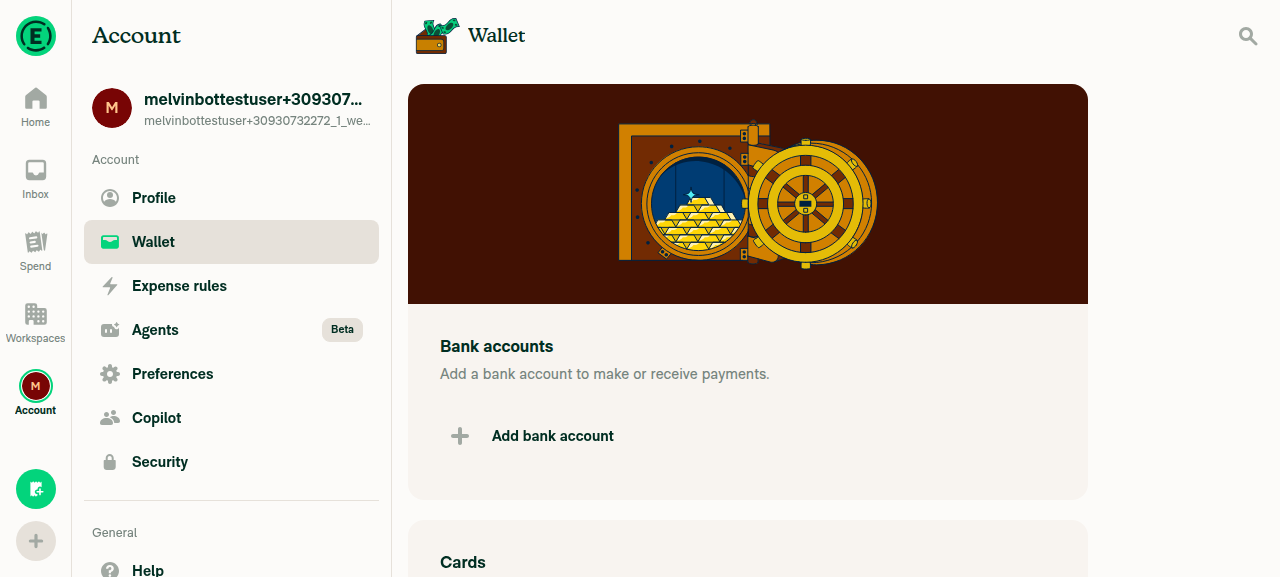
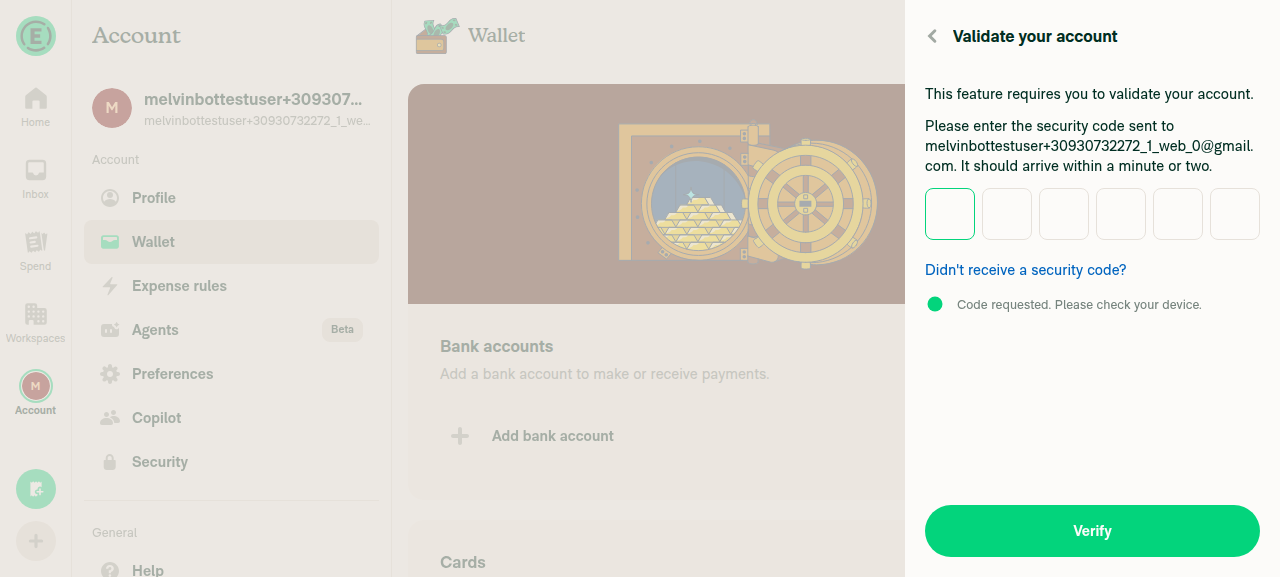
In-app verification: I attempted to exercise the flow on web, but the tester was blocked before the phone step — Add bank account triggers a "Validate your account" email security-code wall that the test session can't clear (an environment limitation, not a PR issue). So the UK-accepted / 123-rejected checks in the test plan still need manual QA.

Evidence

Wallet page with Add bank account button

Wallet page with Add bank account button

Validate your account security-code wall blocking the flow

Validate your account security-code wall blocking the flow

Sign up for free to join this conversation on GitHub. Already have an account? Sign in to comment

Labels

None yet

Projects

None yet

Development

Successfully merging this pull request may close these issues.

2 participants